

The short answer is that since 2013, you cannot see organic keyword data in Google Analytics, but there are other places which reveal search query data.
Google Search Console query data
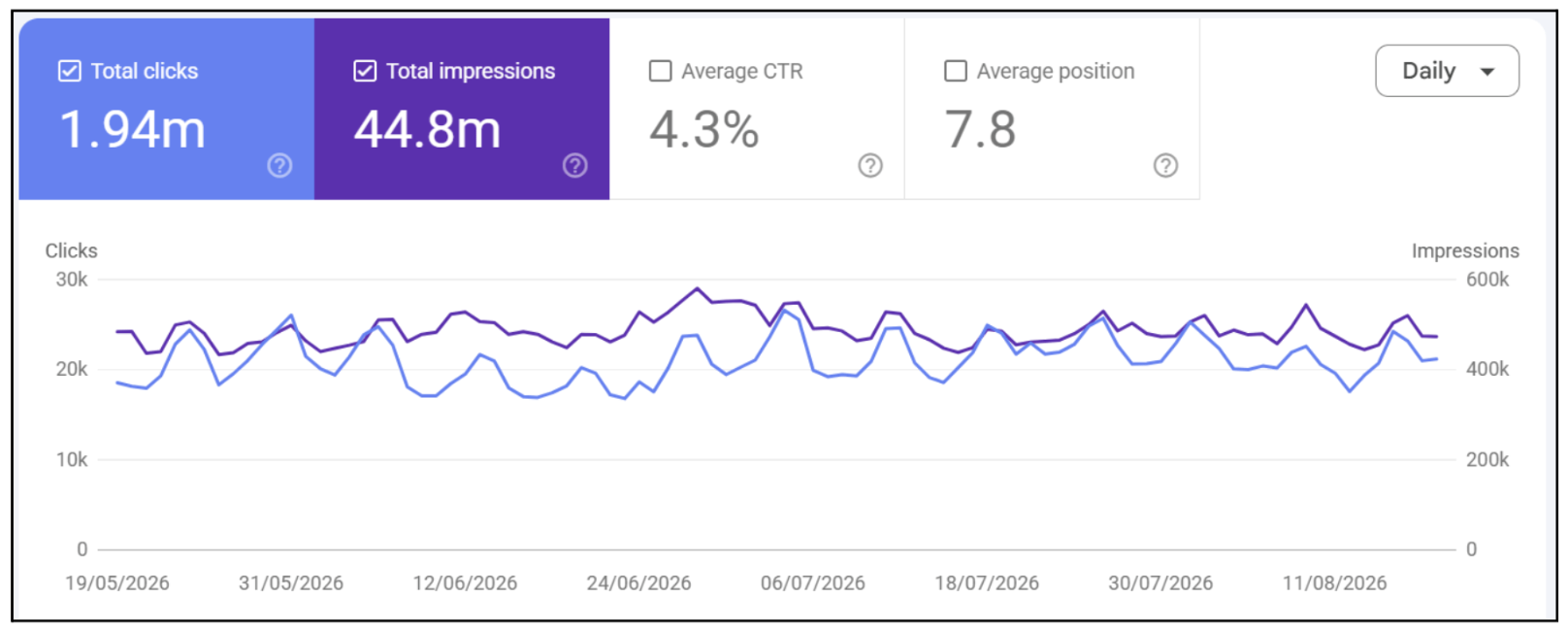
Google Search Console can reveal, on average, 47% of search queries, and this figure can be much higher or lower depending on the percentage of private information contained within the search queries.
GSC allow you to view Google’s own results for an entire domain, or sub-domain, once you can prove ownership of that domain. Whilst you’re at it, ensure that GA4 is linked to GSC for further insights, or go one step further by using the API or a BigQuery connection to extract every last bit of data from the platform.
Once you’re on the platform, you can export a list of queries along with their number of impressions versus the number of clicks they received within a certain time period:
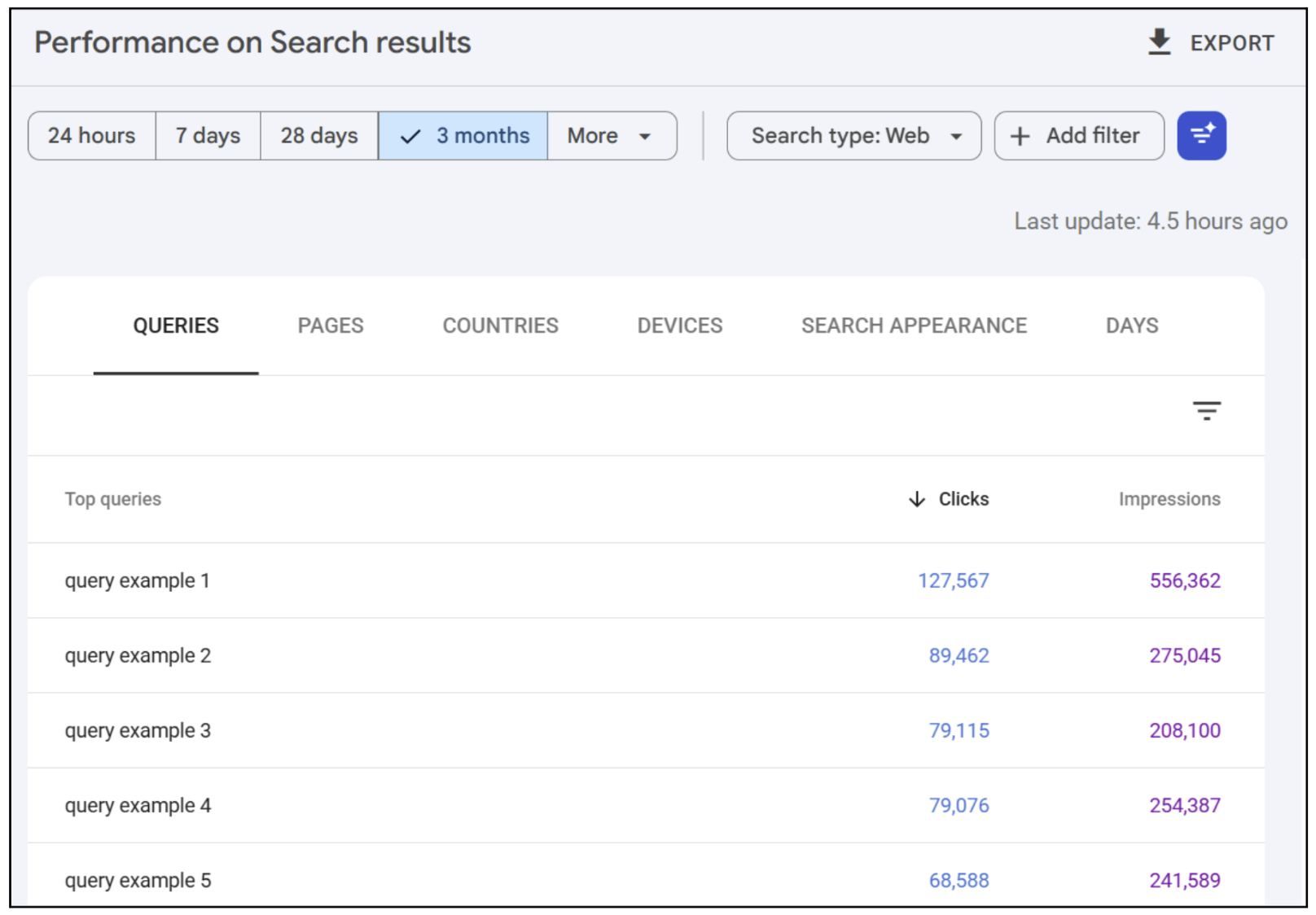
Note that you can also narrow down results by the landing page shown, the country the user is in, and the device they are on.
Search data can be shown for image, video, and news results in Google, as well as for typical search results (under “web”).
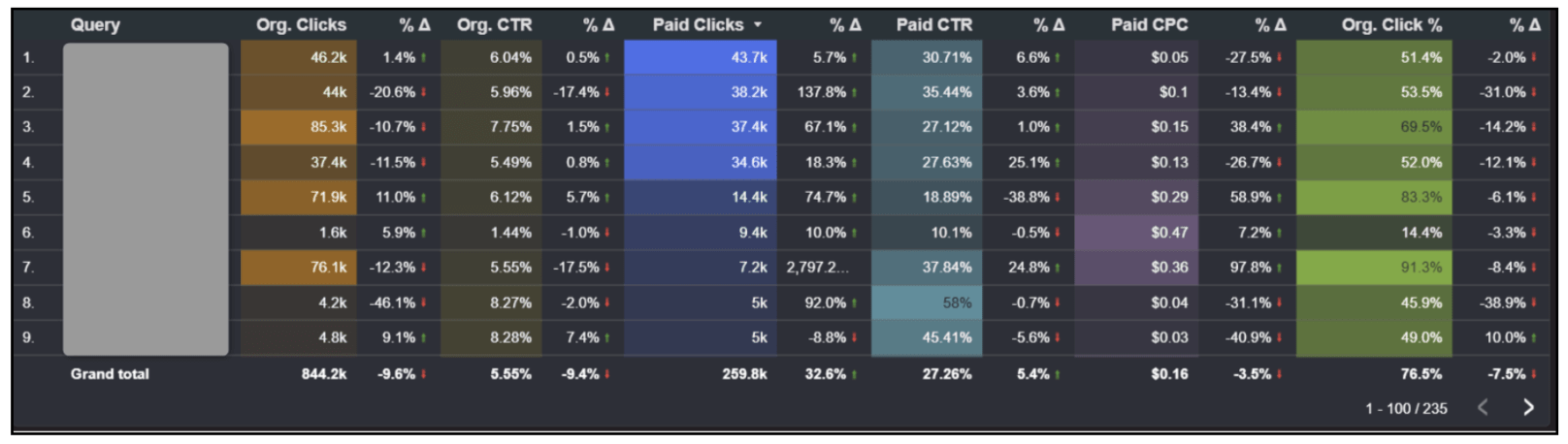
Pro tip: Automatically combine Google Search Console query data with Google Ads query data for a live unified search dashboard (organic search vs. paid search):
Google Ads + Microsoft Ads paid query data
The two major paid search ad platforms will provide a wealth of query data.
Google Ads will provide between 20% and 80% of query data, and Microsoft Ads (Bing Ads) will provide a higher percentage, most people agree, due to user privacy concerns.
Both platforms have built-in conversion systems that show the exact queries that lead to new customers or leads.
Connecting Google Ads with GA4, or utilising UTM parameters with Bing Ads, allows a full analysis of traffic from paid platforms versus the matched search query.
Pro tip: use paid search query data to focus on specific campaign topics, negative keywords, and keywords that may be missing in your organic strategy.
AI search query data (LLM search)
Users are increasingly using AI search or LLM chat platforms to perform searches instead of traditional search engines.
The keyword and topic data within LLMs can be extracted through a series of crafted prompts, but as prompts are more conversational than keyword-focused, the whole notion of keyword rankings is being eroded over time and may become irrelevant in the near future.
Google is pushing for AI search to be the de facto search tool soon, and there is seemingly confusion within Google Analytics on how to classify traffic from popular LLMs, making keyword tracking increasingly difficult.
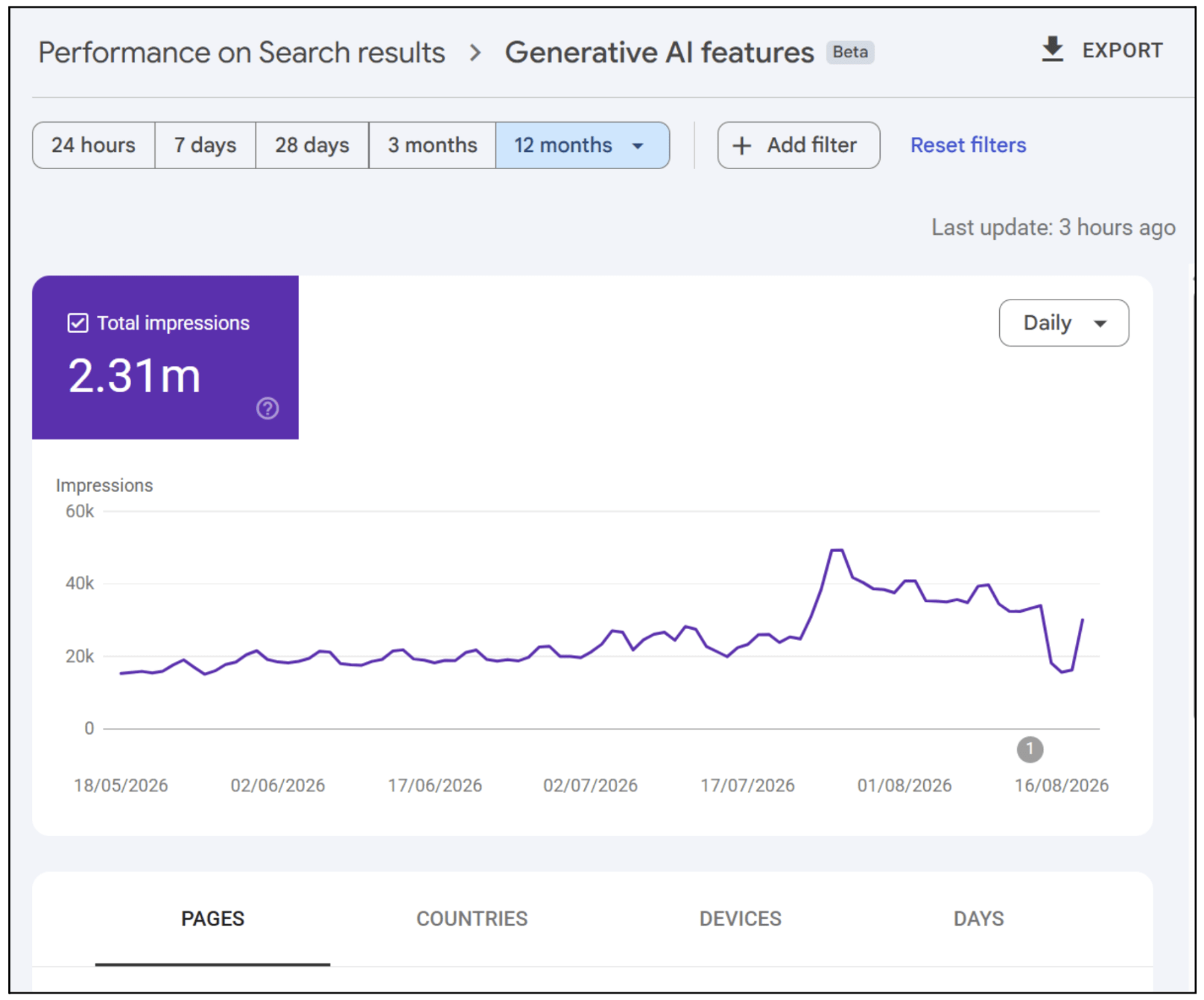
Google Search Console will soon release a search generative AI results report section that shows which pages get impressions with Google Gemini, but currently it has limited scope and only shows on big traffic domains:
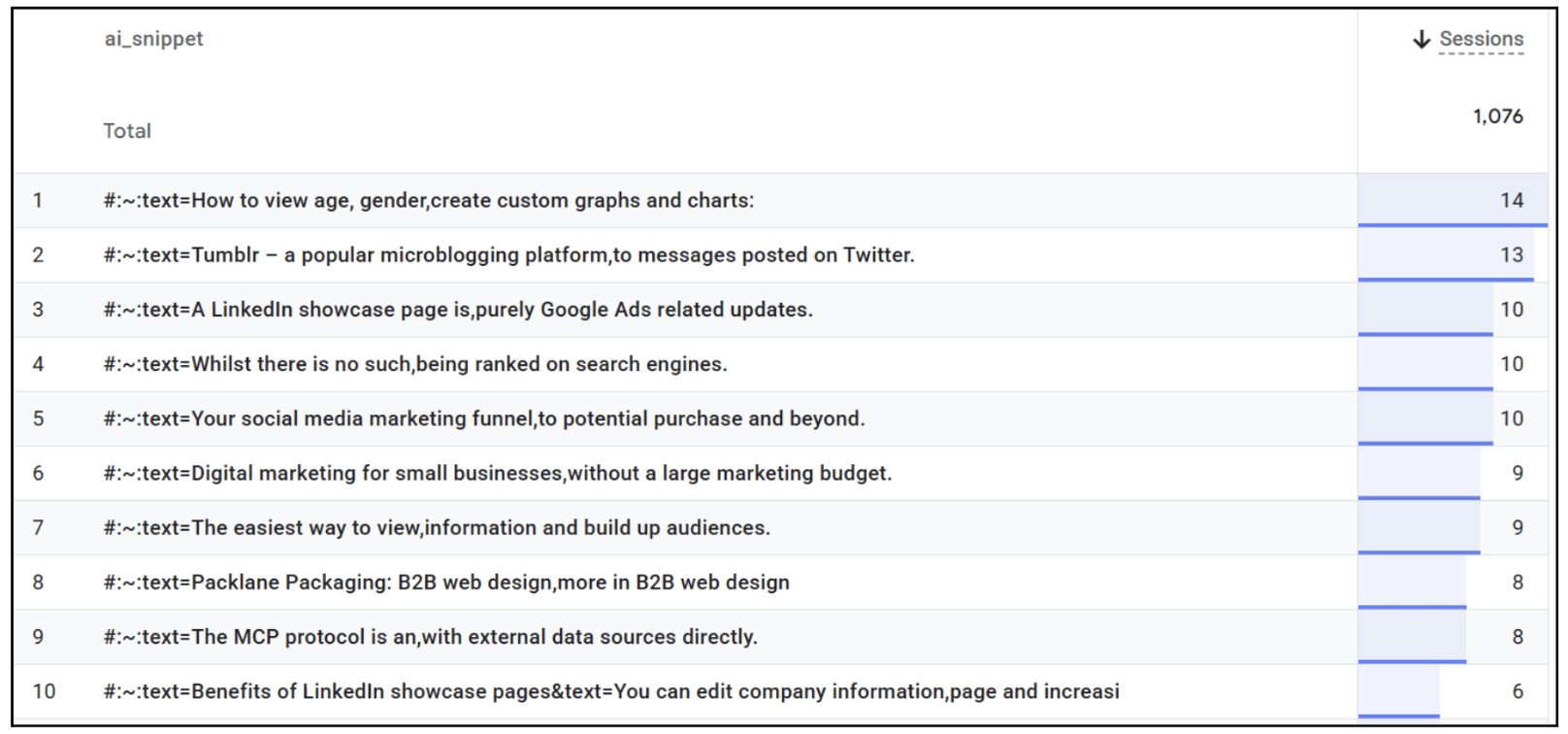
Some LLMs utilise the Scroll to Text Fragment feature found on all browsers, which has the end of URL form: “#:~:text=referenced-text”. These link to specific words within a landing page and automatically scroll and highlight the words on a page to make content easier to reference.
Whilst you cannot see prompts that are made within most LLMs, you can track the reference text plus the landing page URL within GA4 to get a good understanding of what brought users to a specific page.
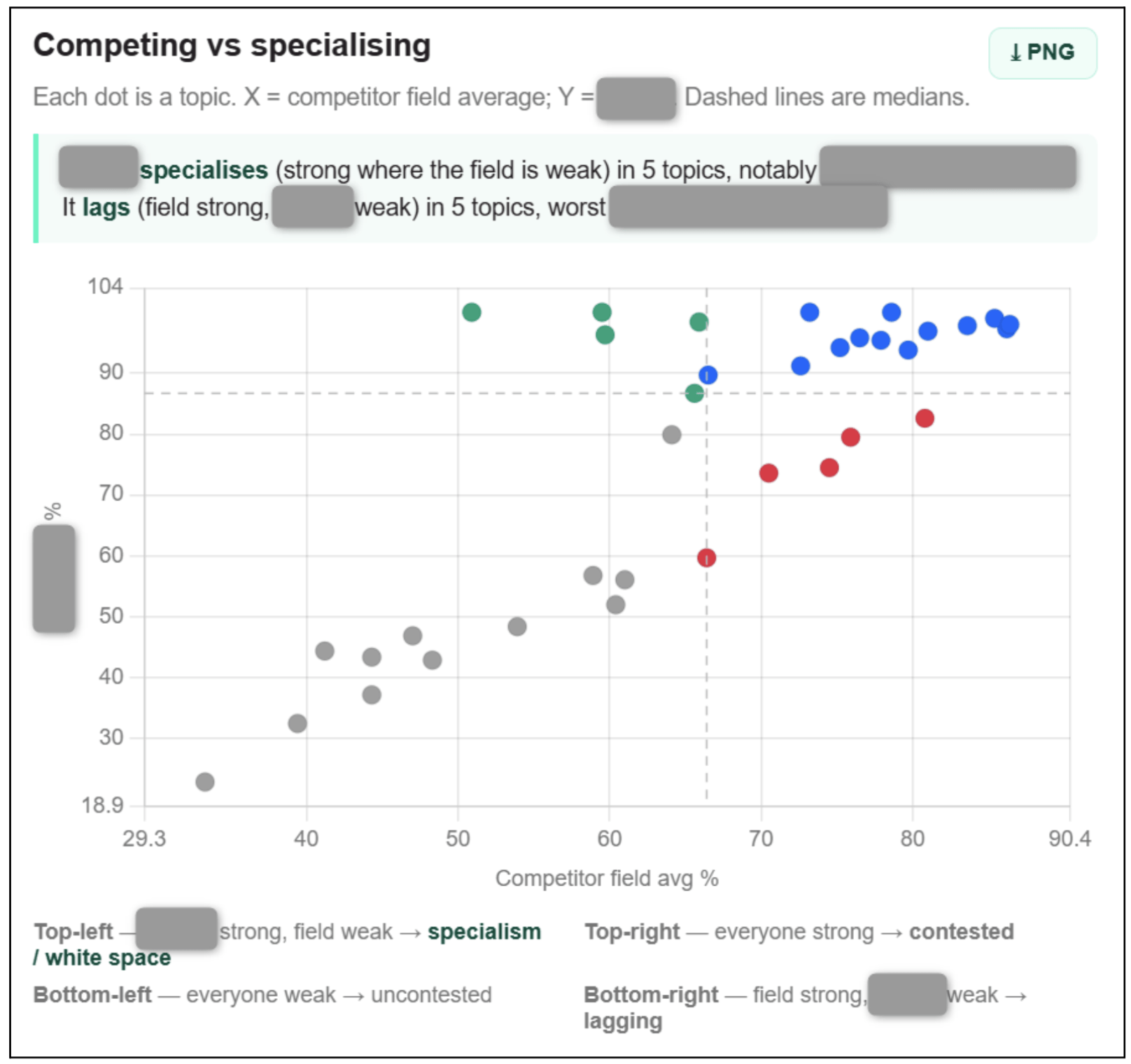
Pro tip: Monitor how your business compares to others with a Share of LLM report for your key topics on all major LLMs to find content gaps and opportunities to dominate:
Conclusion
You can still see what users are searching for via Google or Bing Search by looking at Search Console or paying for search traffic via a traditional search ad campaign.
It might be worth stepping back, though and focusing your content towards future AI searches, answering broader questions and being picked as a preferred LLM answer.
See how Hallam can help your B2B business with our AI SEO services today.