

If you are not familiar with Pinterest, you need to know that it is so much more than just a social platform. Pinterest is a visual search engine that users turn to for inspiration, information, and product discovery, similar to how TikTok is used to find information in a video format.
You can use Pinterest for your business to direct organic traffic to your site and improve conversions. Especially if you have high-quality visual resources, this can be a great opportunity to improve your site’s performance while raising brand awareness.
To take advantage of the benefits that the platform has to offer, you need to have a good understanding of Pinterest SEO. This will allow you to optimise your profile and boards to gain visibility and get the best results from your Pinterest strategy.
In this blog, we’ll cover:
- How the platform works
- How to set up your Pinterest for Business account
- Keyword research tools and strategies
- Board and pin optimisation
- How to increase engagement on your pins
- Key mistakes to avoid in your Pinterest search optimisation strategy
For further advice and support, don’t hesitate to contact Hallam. We have a friendly team of organic search experts that are ready to help you build the best Pinterest SEO strategy for your business.
How Pinterest works as a search engine
Pinterest’s algorithm takes into account both how users interact on the platform and the quality of pins themselves. If a pin is deemed relevant, it will match that content with users that are likely to engage with it. This is beneficial as it allows you to carefully optimise your pins to target the correct audience.
According to Pinterest, there are four key elements for discoverability: relevance, uniqueness, content quality, and user engagement. Let’s look at what each of these elements mean in a Pinterest SEO strategy.
Relevance
By making it clear what a pin is about, you make it easier for the algorithm to display it to the right audience. Each pin you upload should have a descriptive title and description that target relevant keywords. The image must also accurately reflect this content.
Relevance is also calculated based on content freshness. Boards should be regularly updated with new pins to show that the profile is active and relevant.
Uniqueness
Since Pinterest is a hub for new ideas and inspiration, your content should keep up with any emerging trends and be helpful to users by giving them original ideas. You can use Pinterest Trends to find out where there is an increase in demand and tailor your boards to keep up with the interests of users.
Content quality
Just like traditional search engines, high-quality content is king. On Pinterest, this means clear, sharp images, functioning links, and good visibility on both mobile and desktop. Avoid uploading blurry images and using broken or redirecting links.
User engagement
Pins that receive a high number of saves, clicks, comments, and shares are more likely to be returned to users on the platform. You can increase engagement by offering original content, asking questions, replying to comments, and including CTAs in your pin descriptions.
Setting up a Pinterest for business account
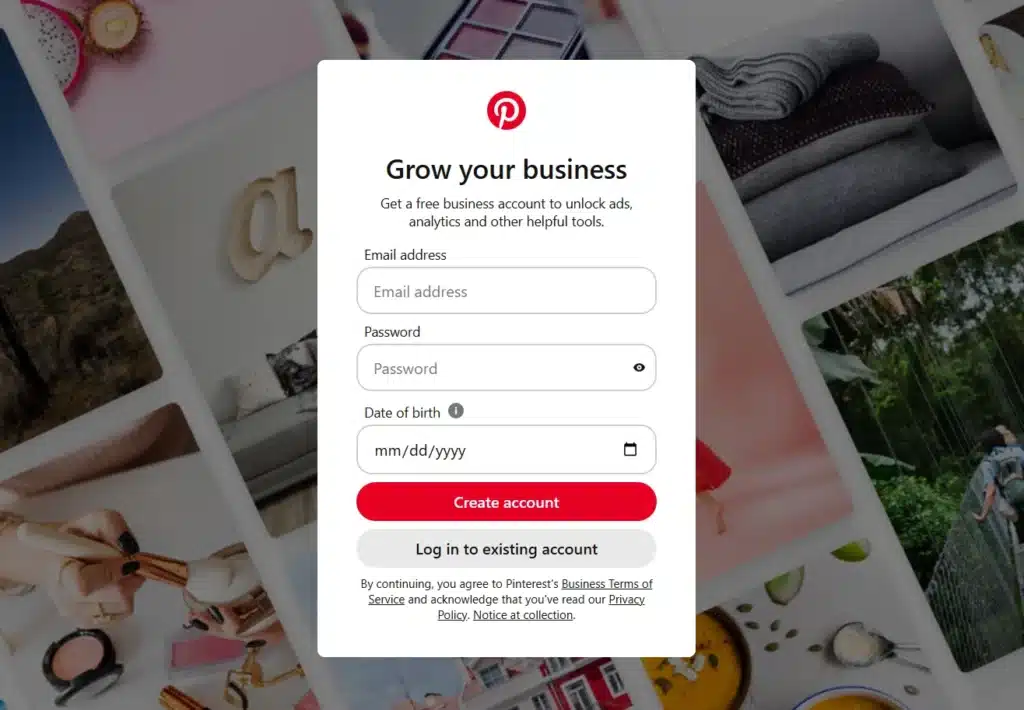
An official business account offers a significant advantage for Pinterest SEO because it allows you to access Pinterest Analytics, where you can review how well your content is performing and plan your strategy accordingly. You can also set up a wide range of ads with a business account, from video to carousels, collection ads, and product catalogues.
A business account is free to set up and you can also convert a personal account to a business one if you already have a Pinterest login set up.
Optimising your Pinterest profile
Before you start uploading pins, make sure that your profile is well-optimised and accurately reflects your brand. Don’t forget to look at:
- Verification: You can get verified on Pinterest through the Verified Merchant Programme. This increases trust, allows you to use product tagging, and improves your chances of appearing in shopping feeds.
- Profile name: This should be your official and correctly spelt brand name, perhaps combined with a relevant primary keyword.
- Bio description: This should include 2-3 primary keywords and highlight the core USPs of your business.
- Profile image: This should be a high-quality logo.
- Website claiming: This makes sure that any pins posted on your website are attributed to the account, which boosts authority. You can check if your website is claimed by looking for a tick icon next to the URL.
Pinterest keyword research strategies
Keyword research for this platform is made easier using keywordtool.io, which has a function for Pinterest. You can type in one of the primary keywords for your business, and it will show you a list of related terms as well as their search volume, demand change, average CPC, and competition score.
In addition to this tool, you can also do keyword research in Pinterest itself, as the platform will instantly recommend the top-searched terms for any topic that you type into its search bar. It may be a good idea to use both of these methods to get a strong keyword list.
When doing your keyword research in Pinterest, look at:
- Pinterest search bar suggestions: These are based on actual user activity. Try out different relevant keywords in the search bar and see what comes up. The faster a keyword appears as you type, the more volume it has. Keywords higher up on the list have more volume.
- Pinterest suggested topics: Once you have entered a search into Pinterest, above the Pin results you will find multiple related topics, named after highly searched terms.
- Pinterest Trends: You can use this tool to browse current trends and view graphs for interest over time for specific keywords.
- Seasonal patterns: Lots of keywords will have seasonal relevance, e.g. “summer”, “winter”, “christmas”, “easter”.
- Long-tail keywords: If there appears to be strong volume for a long tail keyword (e.g. “Summer Streetstyle Outfits for Men”) this can be implemented into a new board to reduce competition and attract high-intent clicks (instead of trying to target it in a general “Summer Style” board).
- Competitors: You can look at high-performing pins for your industry to identify keywords gaps and opportunities.
Pinterest board optimisation
Think of boards like the pillar pages on your site. They demonstrate the main themes of your account and establish topical authority, which helps Pinterest to match your content to the right users.
Since your boards are crucial to establishing topical relevance, you should also avoid creating boards that are not clearly relevant to your brand. Prioritise tightly focused boards that accurately reflect your niche rather than broad, unrelated content.
Board titles
Your board titles should be clear and searchable. Think carefully about the user journey and what they might search to end up on one of your boards. For example, “Valentines Day Outfit Ideas” is much more likely to be searched than a vague, creative title like “Be My Valentine”.
Board descriptions
Board descriptions also contribute to your visibility on the platform. These should be descriptive, telling the user what they can find in the board, while weaving in primary and secondary keywords naturally. This additional context will help Pinterest to categorise your content effectively.
Board organisation
How your boards are organised on your account impacts your visibility and user navigation on your profile. Your most important boards should be featured at the top of your profile, and should have a high quantity of engaging pins to show that the board is well-managed.
It is also important to keep on top of managing your boards by:
- Removing outdated content or low-quality pins
- Updating board titles and descriptions with current target keywords
- Keeping your best performing boards at the top of your profile
- Refreshing board covers to maintain visual cohesion
Pinterest SEO for pins
A high quality, well-optimised pin can drive traffic for a long time, provided it continues to receive engagement.
Pin titles and descriptions
The title and description of your pin is a bit like your meta title and description in Google search. It informs the Pinterest algorithm what your pin is about and when it should be returned to users. You should use a primary keyword in your pin title, followed by secondary target terms throughout your description.
A strong pin description should be clear, engaging, and encourage the user to take an action. Make sure to:
- Match user intent
- Weave in relevant keywords naturally
- Be concise and easy to read
- Encourage engagement using CTAs
- Include a link to a relevant page on your site
Pin image and design optimisation
Even if your pin title and description is well optimised, it won’t go very far if the quality of the image is low. Pinterest thrives on connecting users to high-quality, visually engaging content, so a strong design is crucial to perform on the platform. Here are some key tips to make sure that your images meet criteria:
- Use vertical images with a 2:3 aspect ratio
- Make sure any text overlays are clear and readable
- Check that the image is in high-quality on both desktop and mobile
- Use consistent branding to improve recognition and engagement
Keep in mind that any text you use in your pins also improves your SEO, and you can also add alt text to your pins to make sure that the algorithm understands what your image is about.
How to increase engagement signals for Pinterest SEO
Since Pinterest rewards content that generates high engagement, it is important to encourage users to interact with your pins through saves, clicks, comments, and shares.
To get the best engagement on your pins, make sure to:
- Publish new pins frequently and consistently, e.g. once a week.
- Review Pinterest Trends for relevant topics that are seeing an uplift in demand
- Test out different pins designs and formats
- Encourage users to interact through CTAs in your pin descriptions
- Use compelling pin titles
- Closely align your content with search intent
Review the performance of your pins regularly using Pinterest Analytics to see what’s working and what’s not, and carry out some A/B testing to find out what pins designs and formats resonate best with your audience.
Common Pinterest SEO mistakes to avoid
We’ve now gone over all the best practices to get your pins in front of your audience and encourage them to engage with your content. However, even when you are acting with the best intentions in mind, it is easy to lose performance due to common mistakes that businesses make when posting content on the platform.
Here is a simple checklist of everything you should avoid when carrying out your Pinterest SEO strategy:
- Keyword stuffing in descriptions: Pinterest will punish profiles that are trying too hard to influence their appearance in results.
- Using low-quality images: This will hurt your engagement and credibility.
- Creating vague boards or irrelevant boards: Every board you make should be closely related to your brand and use titles that accurately reflect how users search.
- Posting inconsistently: This will signal to the algorithm that you are an inactive account and weaken your authority.
- Not reviewing Pinterest Analytics frequently: If you don’t know which pins are performing well/underperforming, you won’t be able to optimise your strategy for the best results.
- Prioritising quantity over quality: While frequency is important, it is better to post 2 high quality pins each week than 10 pins that are unlikely to generate engagement.
Conclusion
Pinterest is a vastly underrated search platform that can provide a significant boost to your brand awareness and credibility online. As users are increasingly searching for engaging ways to get their information, Pinterest is a great place to show your audience that you can capture their interest and provide them with high-quality content.
A successful Pinterest search optimisation strategy combines keyword research, high-quality visuals, and strategic board optimisation, and analytics to turn your Pinterest account into a valuable discovery channel for your site.
If you would like further support on Pinterest SEO after reading this guide, we have a team of SEO experts at Hallam that can help. Our Paid Media and Creative teams are also on-hand to push your Pinterest strategy even further. Just contact our team today and we’ll get back to you as soon as we can.