

Earlier this month our Head of Data and Insights, Jonathan Catton spoke at The Shortlist, Manchester meetup for ABM marketers at B2B SaaS companies about the part of AI that rarely makes the headlines: the data it runs on.
It’s easy to get carried away with fleets of agents. But an agent is only as useful as the data it can see, and most marketing teams haven’t fixed that bit yet. You can’t build a house on sand.
This blog covers what Jonathan shared on the day, starting with an AI rollout that went wrong, how we fixed it, and how to decide whether your marketing data needs a full warehouse or whether plugging AI straight into your tools will do the job.
AI is only as good as your marketing data
The dream of AI in marketing is simple. Something that understands what’s happening in your accounts and gets on with the work.
Marketing has always been about measuring, then adjusting. AI just needs the measuring done properly.
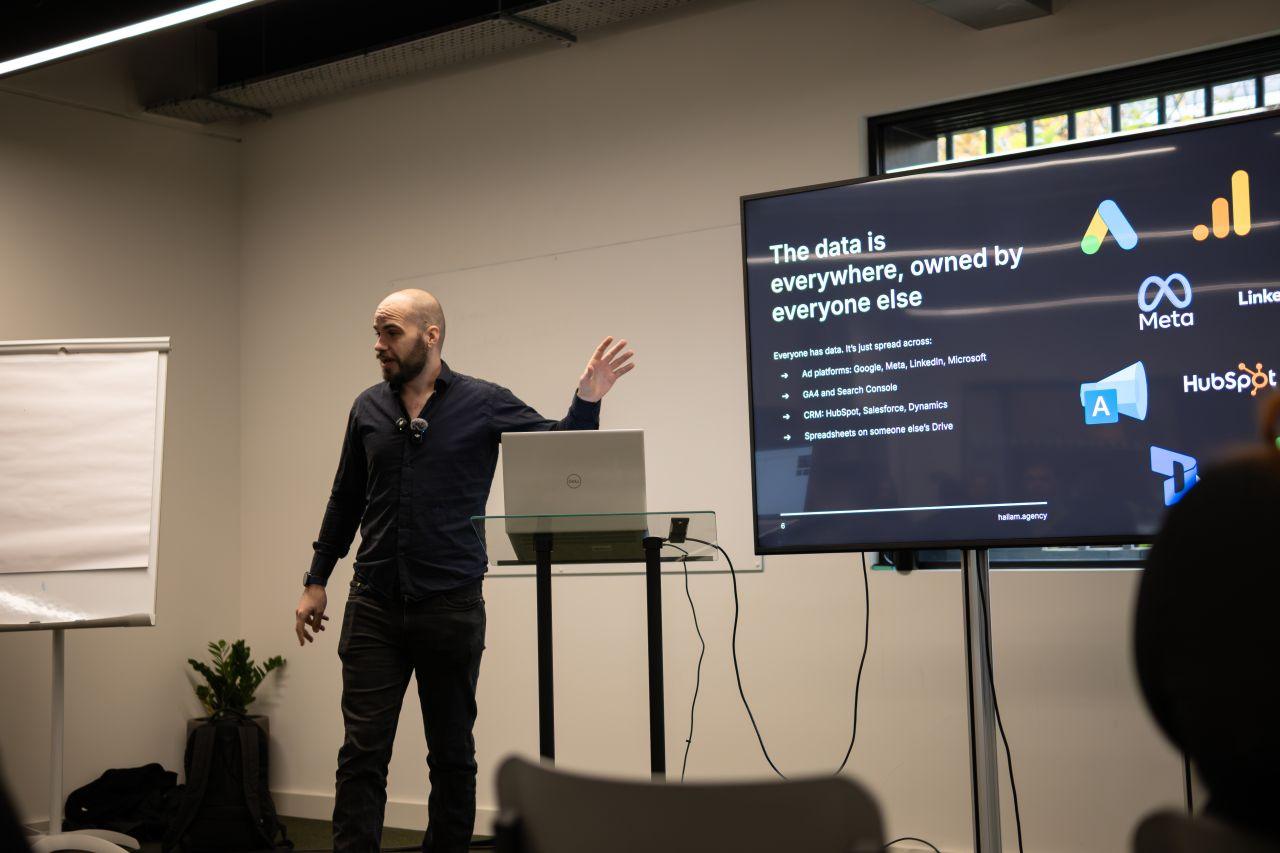
Digital marketers are drowning in data. Most of it sits scattered across platforms owned by someone else: Google Analytics, Google Ads, Meta, LinkedIn, Microsoft Ads, HubSpot, Dynamics, Salesforce, Search Console and the spreadsheets holding it all together.
If you use AI for analysis, you’ll know the routine: export a CSV, hand it to Claude (or your platform of choice), move to the next, repeat. So the first job is to centralise your data and give AI clean access to it. Feed it rubbish and you’ll get rubbish back. Most AI failures we see trace back to exactly that.
What didn’t work for us
Last year, Hallam knew we needed a proper AI set-up. Our whole ecosystem runs on Google, from Sheets and Slides through to Analytics so Gemini Enterprise felt like the obvious choice for us, so we brought in help to build it.
Unfortunately, it didn’t land the way we hoped. At the time some of the connectors we needed were available in standard Gemini but missing from the Enterprise version so our set-up couldn’t do everything we needed. Adoption across the team stayed low and people drifted back to the tools they already knew.
This says more about our approach than the platform, Gemini Enterprise has improved since but the real gap was ours, we hadn’t put the data foundations in place for any AI tool to work with.
Looking back, we’d do two things differently. We’d test the platform properly against our own use cases before committing. And we’d remember that any new tool has to be better than what people already use from the very first time they touch it. Launch a too-small MVP and people write it off, with little chance of winning them back.
We’re on Claude now, and it’s working well. The bigger shift, though, was in the data underneath.
Bringing 200+ data sources into one warehouse
As a B2B agency, we have the scattered-data problem multiplied by every client. When we last counted, we were managing more than 200 data sources day to day.
Our answer was the Hallam Brain: a single data warehouse in Google BigQuery. The technical detail matters less than one principle: everything sits in the same, consistent structure. That means we can analyse performance across every client at once. We’ve written before about measuring performance across multiple Google Analytics accounts, and Hallam Brain takes that idea a lot further.
It works in three layers:
- Sources: every platform feeds raw data into the warehouse
- The semantic layer: a set of definitions and shortcuts that sits on top, built with Google’s Agent Development Kit (more on this below)
- Outputs: dashboards, reports, AI queries and our own tools, all built on top
Why a warehouse on its own isn’t enough
Collecting the data is only half the job. Before we built our semantic layer, we let an AI agent loose on the raw warehouse and asked it something simple: what are the top five spends across platforms for our biggest clients?
It had to hunt for project IDs and tables and work out how they joined. The recording of that one query runs to 12 minutes, and it would start from scratch again next time.
What the semantic layer does
The semantic layer sits between the raw data and whoever is asking the question. It holds the things you’d otherwise have to explain every time:
- Which clients (or brands, or regions) exist
- Pre-written queries and functions for the questions you ask most
- Agreed metric definitions
That last one matters more than people expect. Teams often define a lead or an MQL slightly differently, and without a semantic layer AI just reports whatever the platform says, which is rarely the number your business works to.
Codify those definitions once, and every answer uses the same rules your team does. In simpler terms, it’s like skills for your AI, but for your data. If you’ve used skills in Claude or Gemini, you’ll recognise the idea: you define things up front so the AI doesn’t have to guess.
With a semantic layer, the AI picks a ready-made function, fills in the dates and returns the same answer every time.
A useful way to think about it is the difference between an API and an MCP connector. MCP, or Model Context Protocol, is an open standard for connecting AI tools to other software. An API only hands AI raw data. An MCP connector adds the context, and a semantic layer does the same for your own data.
What it’s made possible
Every client is now connected. In our Hallam Brain, we can ask “what happened last month on client X?” and dig into the answer in plain English, across every source.

Connectors or a warehouse?
The obvious question: do you need to build all this, or can you just plug AI straight into your platforms with MCP connectors?
Connectors just work: someone else has done the heavy lifting. For ad hoc analysis on a single platform, they’re usually the best option. I use them all the time.
A warehouse with a semantic layer earns its keep when you need to blend data from several sources. Your AI doesn’t have to work out the joins or relearn your definitions every time, so answers come back faster and use far fewer tokens, the units AI platforms measure and charge usage in.
| Set up | Connectors | Warehouse + semantic layer |
|---|---|---|
| Best for | Individual, ad hoc questions | Repeatable reporting and team-wide infrastructure |
| Data from one platform | Usually the quickest route | Works, but more set-up than you need |
| Data from five platforms at once | Slow and token-heavy | Pre-joined and quick to query |
| Dashboards and ongoing reporting | Awkward | Built for it |
| Effort to get started | Low | High |
If you’re small or just starting out, connectors are a sensible place to begin.
Build for where AI is heading
There are two longer-term reasons we chose the warehouse route.
You don’t get locked in
The best AI platform today may not be the best in six months. Cheaper models keep arriving, and most AI usage is heavily subsidised for now, so token prices will rise.
Keep your data in your own infrastructure and you can switch to a better or cheaper model whenever one comes along.
You can run normal software on top
With connectors, every data request goes through an AI agent and costs tokens. A warehouse lets you build ordinary software on top instead.
We now build our own tools in Claude Code. The tokens go on building them; once running, they cost next to nothing. Two examples:
- Total Search brings AI visibility, organic rankings, site speed and more into a single view of search performance
- Third Eye monitors every account we manage, using AI only for short summaries at the end
The hard work went into the foundations. Everything built on them since has been quick and cheap.
Your marketing data foundations checklist
This whole post has been about AI, but the most important step has nothing to do with it. Get the basics right. If your GA4, Tag Manager, consent mode, Search Console or Google Ads tracking is broken, no amount of AI will fix it. Bad data in still means bad answers out. Not sure where to start? These are the analytics errors we see most often.
Once that’s sorted, work through these:
- Know what data you have. Map every source before you connect anything.
- Check it’s recording accurately. Audit your tracking before you trust it.
- Get it into one place. That might be a warehouse or a set of connectors, depending on your needs. A quick win: GA4 and Search Console both have built-in exports to BigQuery, so you can get two sources into a warehouse with very little effort.
- Define your metrics. Agree what a lead, an MQL or a conversion means, and write it down.
- Turn common questions into functions. Whether that’s skills in your AI platform or a full semantic layer, stop making AI query raw tables.
- Capture the nuance. Write down the context behind your decisions so AI doesn’t make the wrong call.
- Decide what you’ll do with it. Have real use cases and decisions in mind before you build anything.
Why nuance matters
Campaigns that look terrible on paper often have a perfectly good reason behind them. If your AI doesn’t know that, it will happily switch off things that work.
It’s what Rory Sutherland calls the doorman fallacy. Replace a hotel doorman with an automatic door and you save money on paper, but you lose everything else he was quietly doing. Your data needs to capture those hidden roles.
When is a data warehouse worth it?
A warehouse is a sizeable, expensive investment. These are the cases where I’d recommend it.
You run multiple brands, currencies or regions. Rolling performance up across them is a smaller version of our 200-source problem.
You want to join CRM or back-end revenue data to ad spend. A warehouse makes those joins reliable, so you can see what spend actually turns into revenue.
You want to layer in third-party data. Share of Search, competitor data from tools like Similarweb, pricing data, even the weather. Plenty of external factors affect how your marketing performs, and ignoring them is how things go wrong.
You’re doing econometrics. Media mix modelling needs a large, clean history of your data stored in one place.
Marketing and sales don’t talk to each other. Put marketing and sales data in one place and those gaps become visible.
Your stock or capacity changes what you should advertise. As an example, one of our property clients has some buildings with plenty of space and others almost full. With occupancy in the warehouse alongside cost per acquisition (CPA), you can stop advertising full buildings and accept a higher CPA where one urgently needs filling.
What to take away
Connectors are a quick fix. If you want your marketing data to keep paying off as AI moves on, the foundations are where the investment belongs.
Tokens are cheap now to win users over, and that won’t last. Spend them on building things that keep working when prices rise.
And whatever you roll out to your team, make it good from day one.
If you want help getting your marketing data ready for AI, or with analytics, reporting, SEO or paid media, get in touch. We’d be happy to talk it through.